
- Published on
HW2. Building 3 VMs for HTCondor with KVM on Apple Silicon
- Authors

- Name
- seren-wib
Contents
- 0. Lab Environment
- 1. Creating VMs for the HTCondor Cluster
- (a) Assigning Private Static IPs
- (b) Boot Timeout 0 (GRUB_TIMEOUT=0)
- (c) Cloning 3 VMs from the Command Line
- (d) Checking That GRUB_TIMEOUT=0 Survives in the Cloned VMs
- (e) Registering the Three Hostnames in /etc/hosts
- (f) Pinging the Three VMs from the Host
- (g) Pinging Between VMs by Hostname
- (h) Connecting to the Cloned VMs over SSH
- 2. SSH Key Authentication (Ch04-Extra)
- (a) Connecting from the Host to the Three VMs with a Private Key
- (b) Connecting Between VMs with Private Keys
- Problems Hit While Cloning
- Appendix. Rocky Boot Hang Under Nested Virtualization
- Symptoms
- Two Problems Solved First
- Root Cause Analysis
- Fix
- Settings Needed to Reproduce
This assignment follows Chapter 4 of the textbook, "Creating an HTCondor cluster on VirtualBox": build three virtual machines and set up SSH key authentication. The problem was that my laptop is an Apple M3 (ARM64) Mac. I couldn't use x86 VirtualBox VMs as-is, so I switched the hypervisor to KVM/libvirt.
0. Lab Environment
macOS (Apple M3)
└─ UTM (Apple Virtualization, nested virtualization)
   └─ Ubuntu 24.04 ARM64   (host yoosung-vm, the "Ubuntu host" in the lecture)
      └─ KVM + libvirt     (replaces VirtualBox)
         ├─ main    Rocky Linux 10.2   192.168.56.101    main.cloud.org
         ├─ work1   Rocky Linux 10.2   192.168.56.102    work1.cloud.org
         └─ work2   Rocky Linux 10.2   192.168.56.103    work2.cloud.org
What changed compared to the textbook (VirtualBox):
| Textbook (VirtualBox) | This environment (KVM/libvirt) |
|---|---|
| Host-only adapter vboxnet0 (192.168.56.0/24) | libvirt isolated network cloud56 (bridge virbr56, host 192.168.56.1) |
| NAT adapter | libvirt default NAT network (192.168.122.0/24) |
VBoxManage clonevm | virt-clone --auto-clone |
| Interfaces enp0s3 / enp0s8 | enp1s0 (NAT) / enp2s0 (private static IP) |
Kernel argument pci=nomsi: under nested virtualization, MSI interrupts from the guest's virtio devices were not delivered, so Rocky hung during boot. I fixed it by adding pci=nomsi to the kernel arguments so the guest uses legacy INTx interrupts (details at the bottom). Once GRUB_TIMEOUT=0 is set, you can no longer type kernel arguments by hand in the GRUB menu, so I made this argument permanent in the bootloader first and only then changed the timeout to 0.
Order of work: set GRUB_TIMEOUT=0 on the original VM rocky-base → clone it into three → set a static IP, hostname and /etc/hosts on each VM. The actual order was (b) → (c) → (a), but below is organized in the order of the assignment items.
1. Creating VMs for the HTCondor Cluster
(a) Assigning Private Static IPs
I gave the private network interface enp2s0 a static IP (192.168.56.101–103/24) with NetworkManager. It's an internal network that doesn't go outside, so no gateway was set. I changed the hostname at the same time.
sudo nmcli con mod enp2s0 ipv4.method manual ipv4.addresses 192.168.56.101/24 connection.autoconnect yes
sudo nmcli con up enp2s0
sudo hostnamectl set-hostname main.cloud.org
For work1 and work2 I ran the same thing with the IP changed to .102, .103 and the hostname to work1.cloud.org, work2.cloud.org.
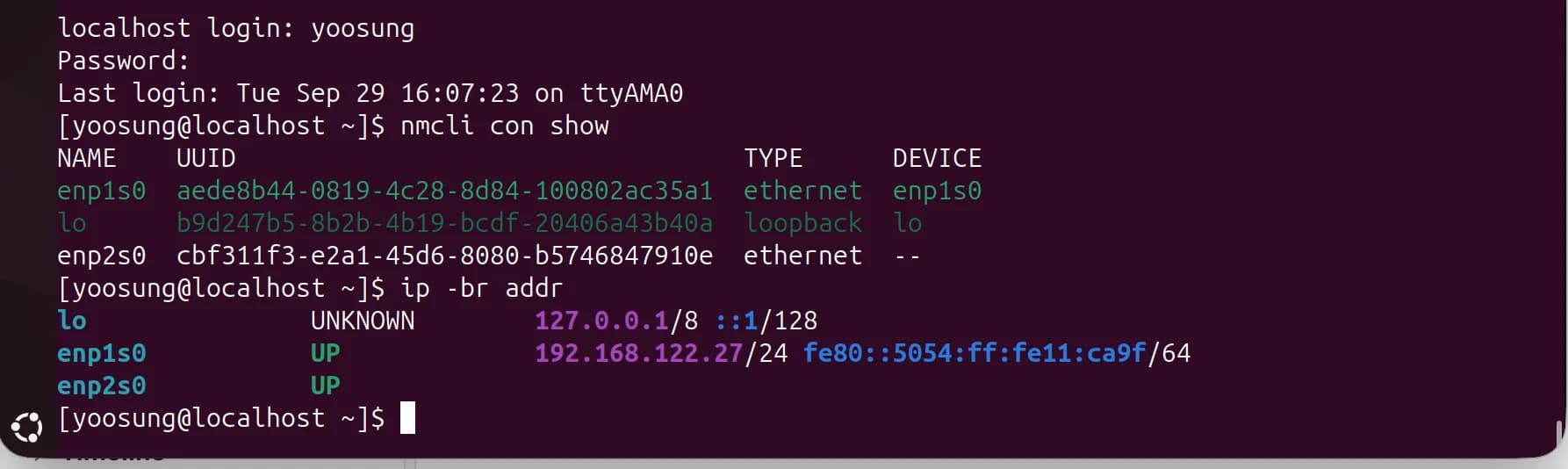
main before configuration. enp2s0 is UP but has no IP.
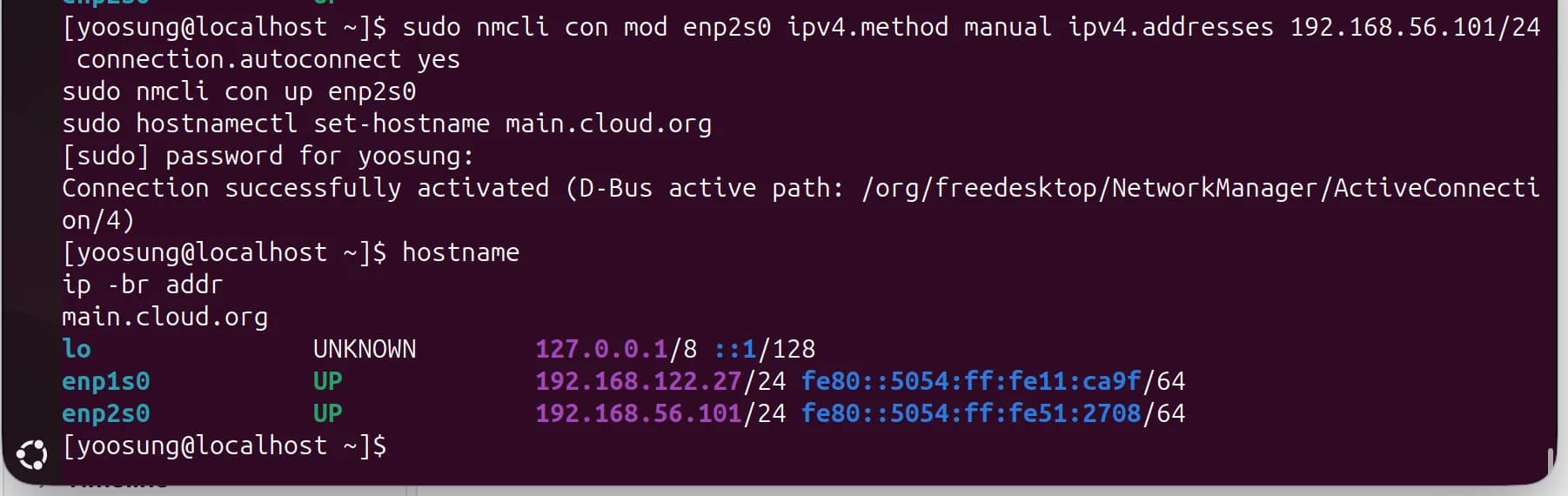
main: enp2s0 = 192.168.56.101/24, hostname = main.cloud.org
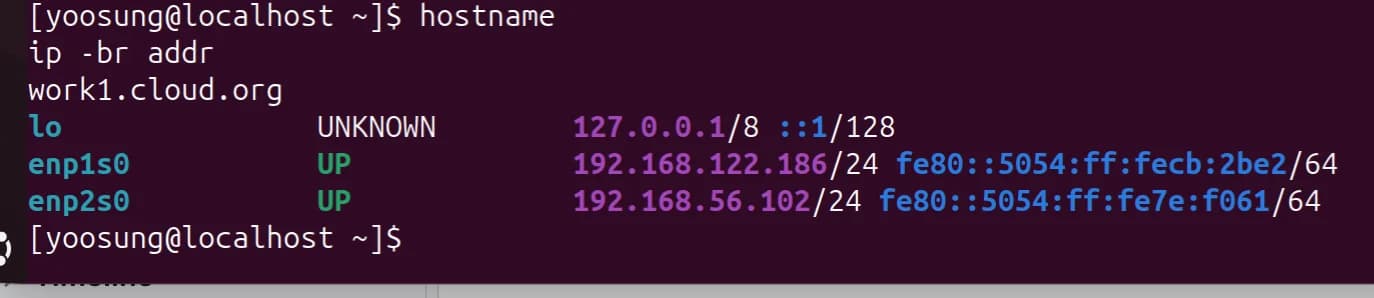
work1: enp2s0 = 192.168.56.102/24

work2: enp2s0 = 192.168.56.103/24
(b) Boot Timeout 0 (GRUB_TIMEOUT=0)
Before cloning, on the original VM (rocky-base) I changed GRUB_TIMEOUT in /etc/default/grub to 0 and regenerated /boot/grub2/grub.cfg with grub2-mkconfig.
/etc/default/grub is the settings file used to generate grub.cfg; what GRUB actually reads at boot is grub.cfg. So after editing it you must regenerate.
sudo sed -i 's/^GRUB_TIMEOUT=.*/GRUB_TIMEOUT=0/' /etc/default/grub
sudo grub2-mkconfig -o /boot/grub2/grub.cfg
sudo reboot
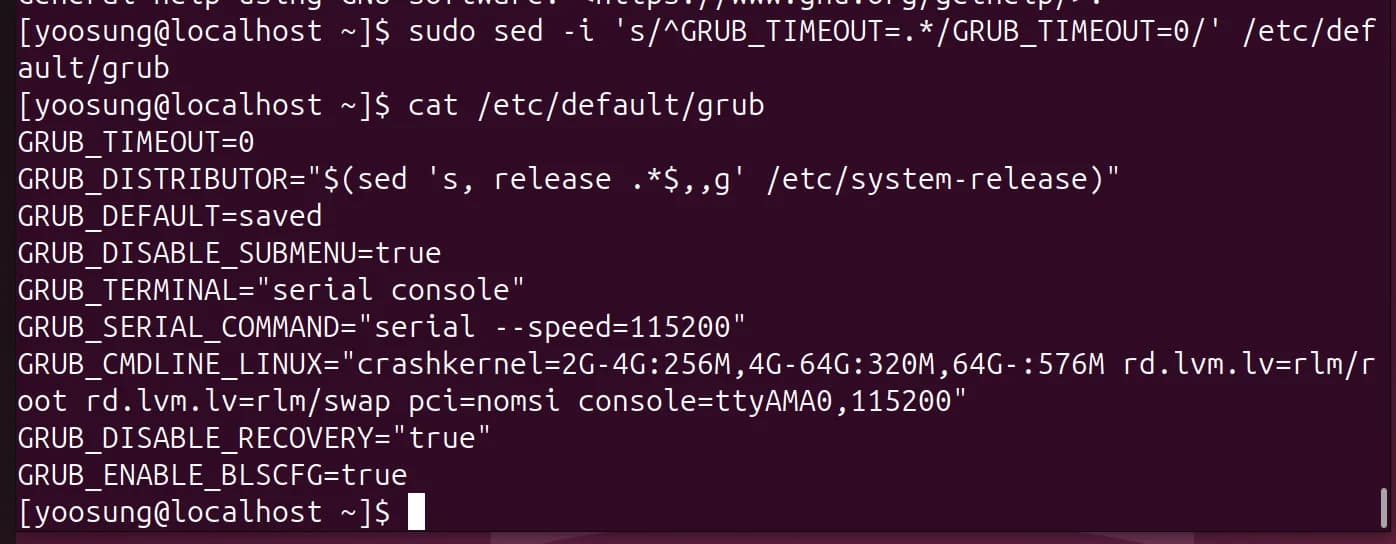
GRUB_TIMEOUT=0, pci=nomsi kept in the kernel arguments

Regenerating grub.cfg with grub2-mkconfig
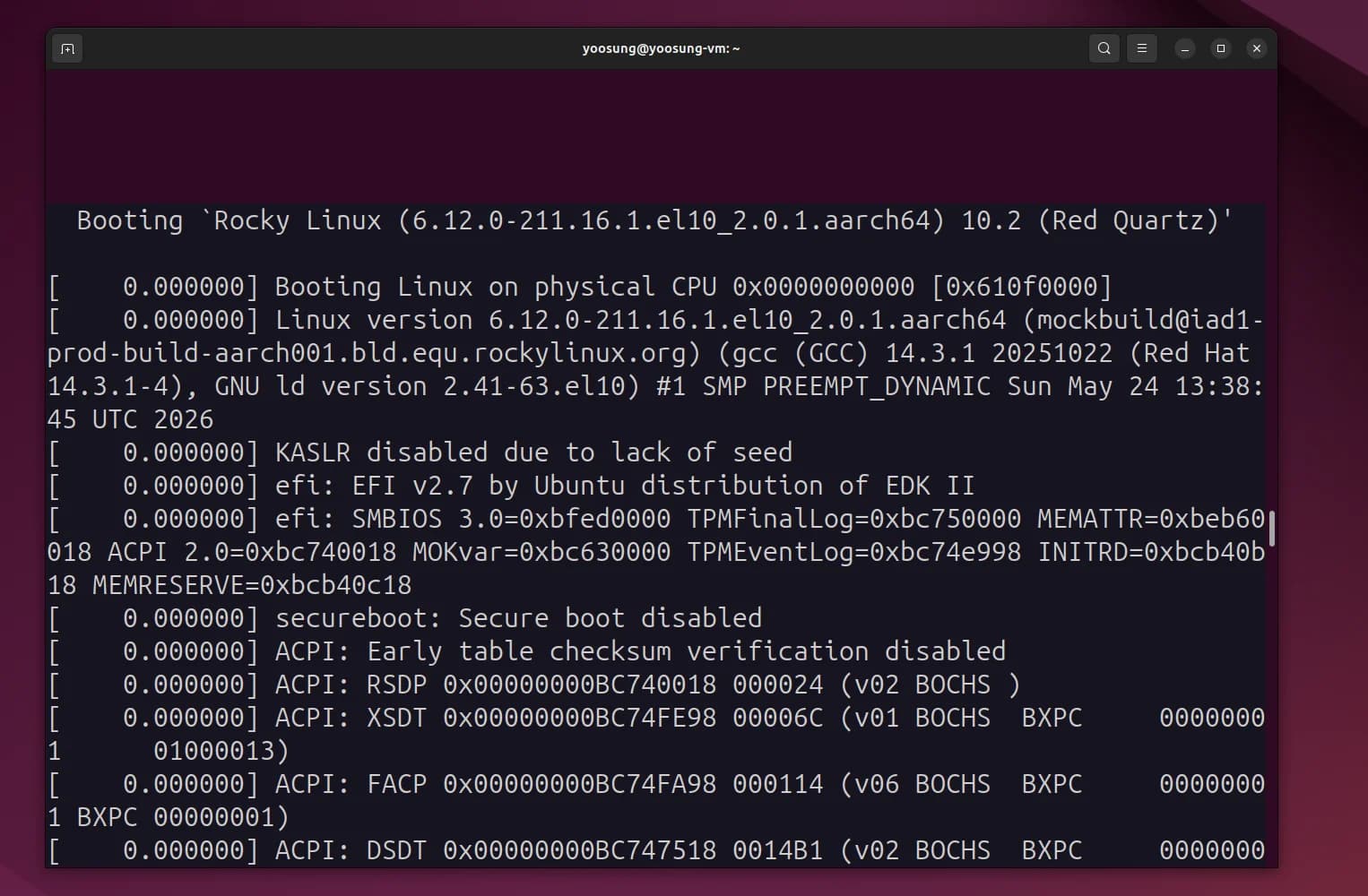
On reboot, kernel boot starts right away with no GRUB menu.
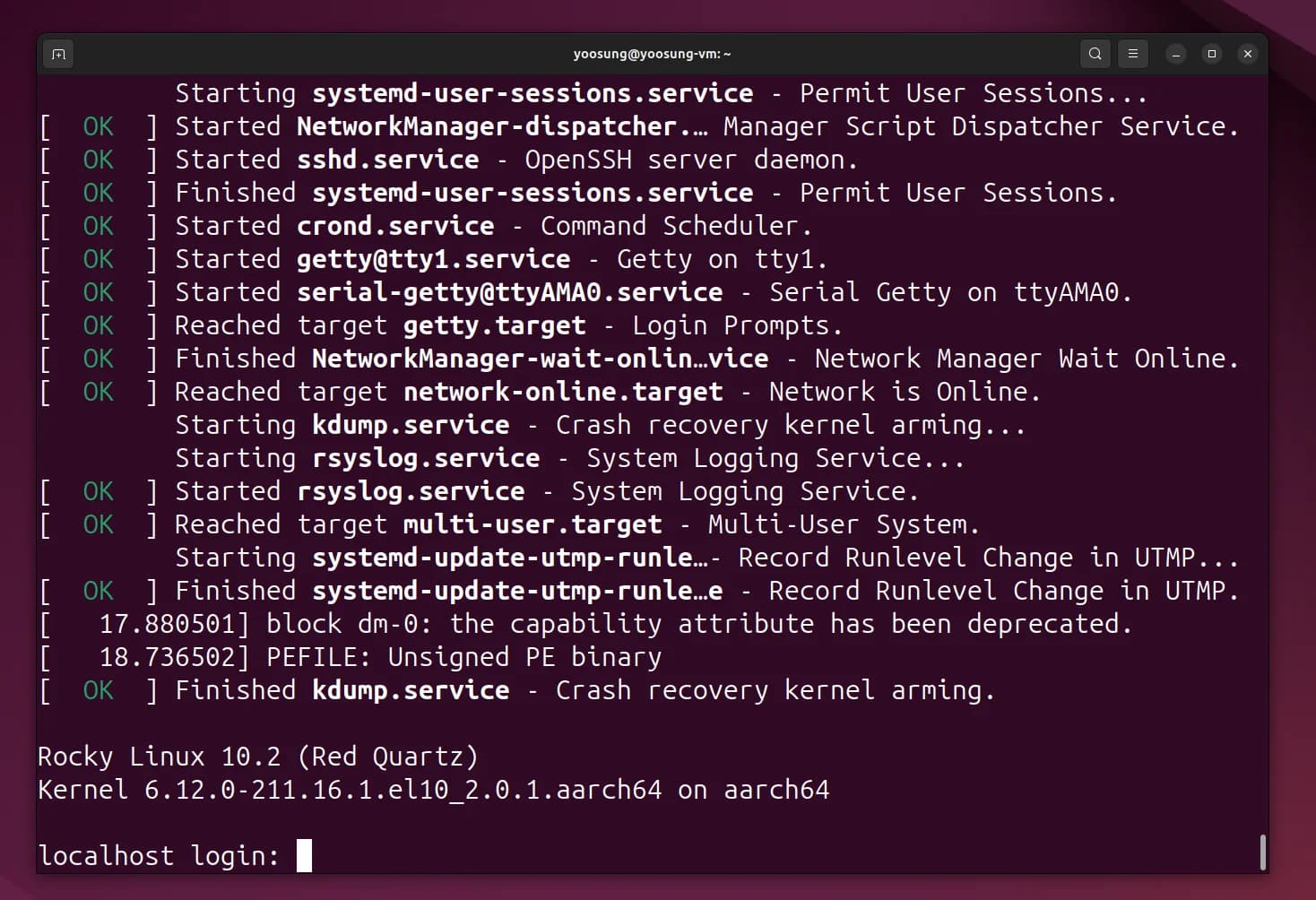
Login prompt after boot completes

/proc/cmdline: pci=nomsi is still applied after reboot.
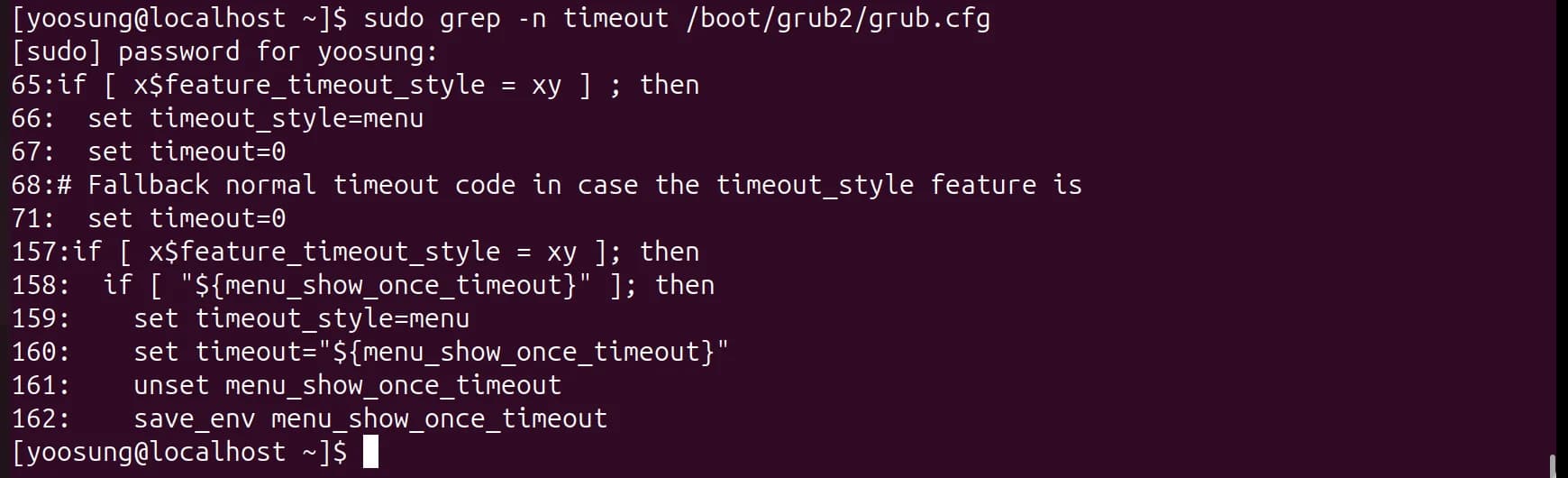
set timeout=0 on lines 67 and 71 of the generated grub.cfg
(c) Cloning 3 VMs from the Command Line
Instead of VBoxManage clonevm I used libvirt's virt-clone. It must be run with the original shut down. --auto-clone copies the disk file (qcow2) and the UEFI variable file (VARS.fd) under new names and generates new MAC addresses.
sudo virsh shutdown rocky-base
sudo virt-clone --original rocky-base --name main --auto-clone
sudo virt-clone --original rocky-base --name work1 --auto-clone
sudo virt-clone --original rocky-base --name work2 --auto-clone
virsh list --all
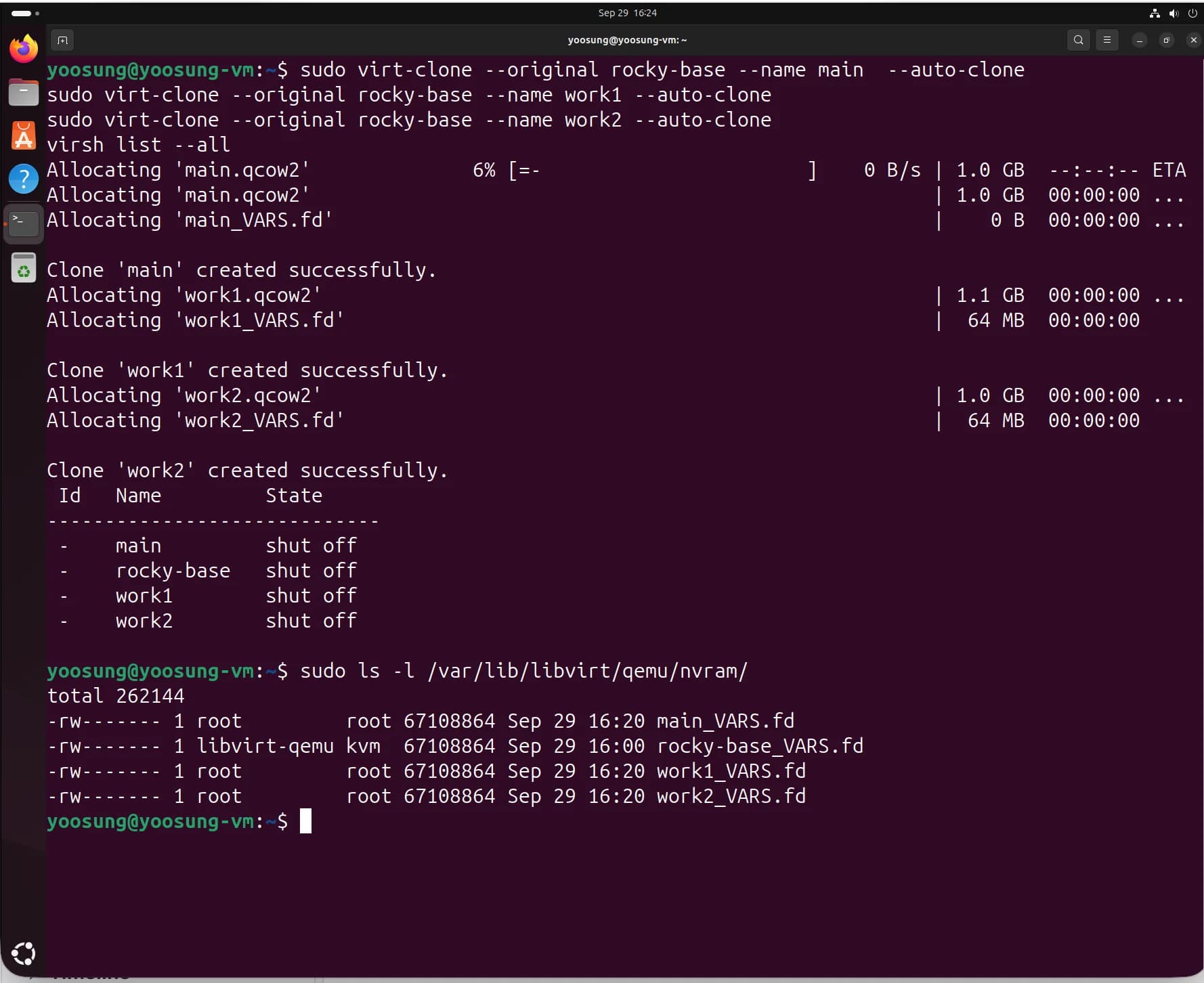
main, work1 and work2 created with virt-clone; virsh list --all shows 4 VMs.
The progress display shows main_VARS.fd as "0 B", but the ls -l below shows all 4 files at 67,108,864 bytes (64MB), copied correctly. Only the progress indicator printed 0.
(d) Checking That GRUB_TIMEOUT=0 Survives in the Cloned VMs
Cloning copies the entire disk, so the GRUB settings come along as-is. I checked both the settings file and the actual boot config on all three VMs.
grep GRUB_TIMEOUT /etc/default/grub
sudo grep -n "set timeout=" /boot/grub2/grub.cfg
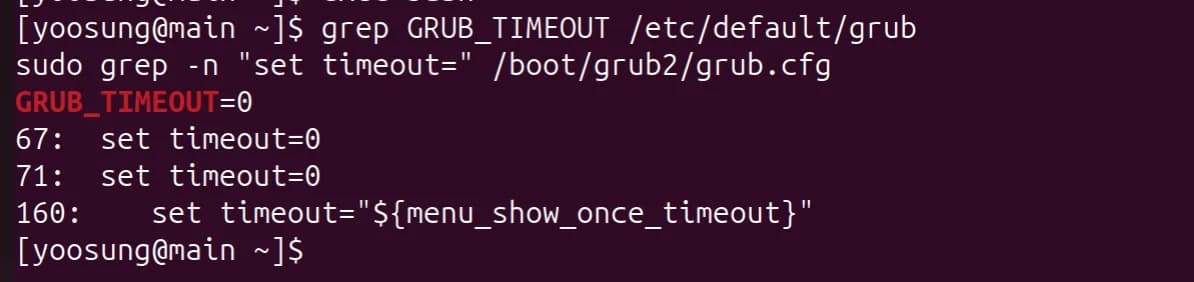
main: GRUB_TIMEOUT=0, grub.cfg set timeout=0
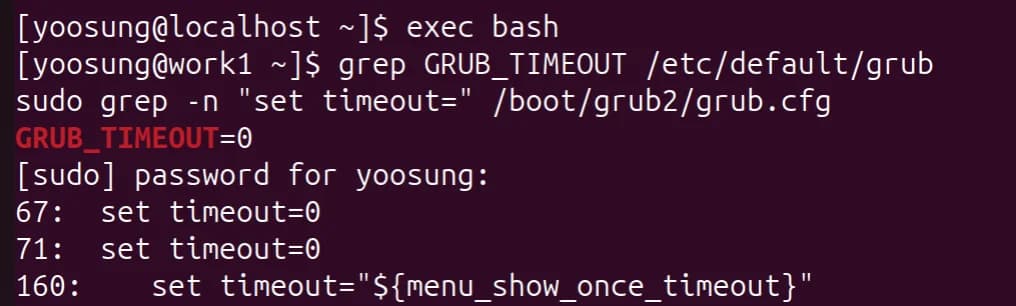
work1: same
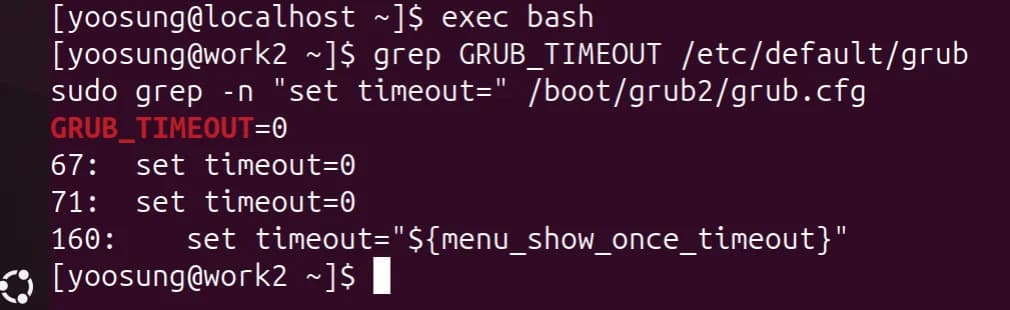
work2: same
${menu_show_once_timeout} on line 160 is a variable for the "show the menu once on the next boot" feature, so it doesn't apply to normal boots.
(e) Registering the Three Hostnames in /etc/hosts
On all three VMs I appended three lines to the end of /etc/hosts. Each line is IP, FQDN, short alias, in that order.
sudo tee -a /etc/hosts > /dev/null <<'EOF'
192.168.56.101 main.cloud.org main
192.168.56.102 work1.cloud.org work1
192.168.56.103 work2.cloud.org work2
EOF
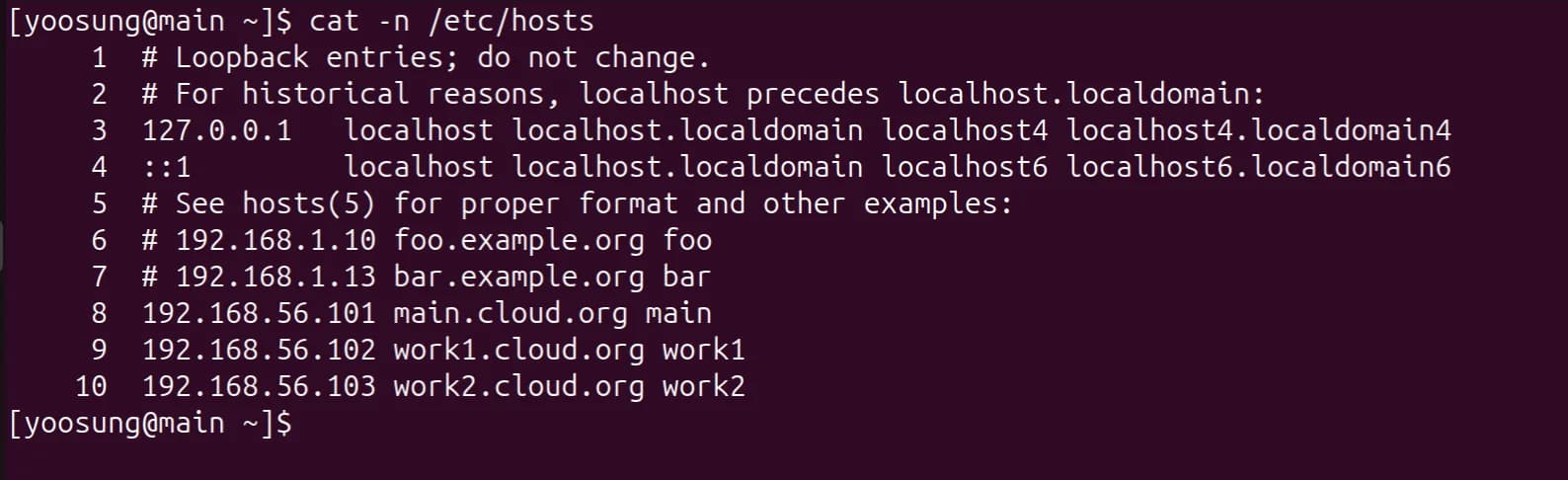
/etc/hosts on main (lines 8–10)
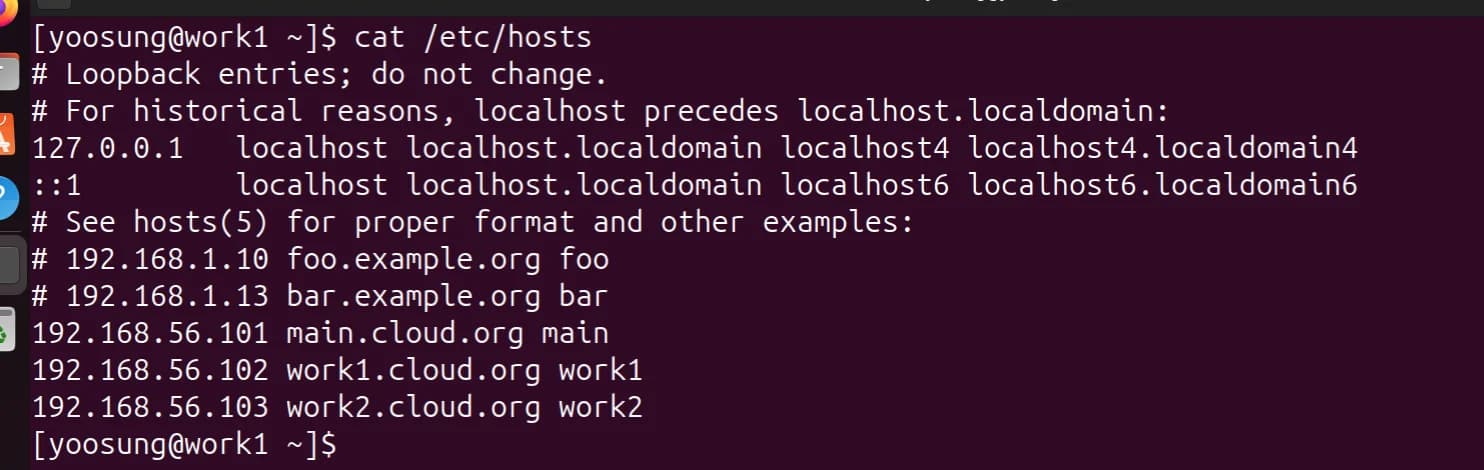
/etc/hosts on work1
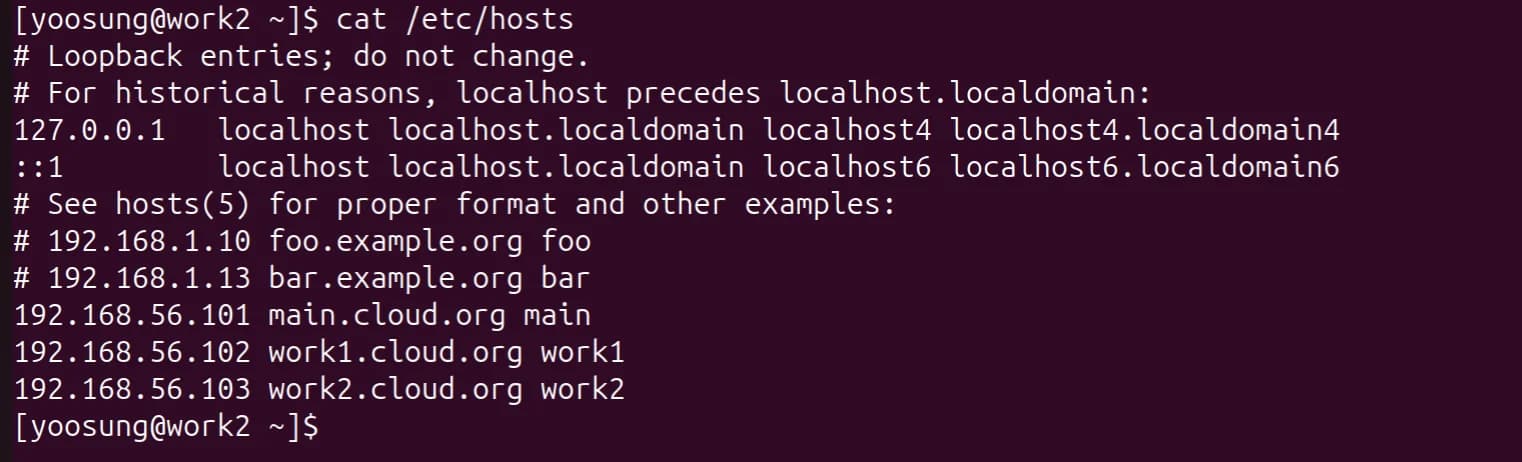
/etc/hosts on work2
(f) Pinging the Three VMs from the Host
From the host (Ubuntu)'s virtual bridge virbr56 (192.168.56.1) I pinged the IPs of the three VMs. All three had 0% packet loss.
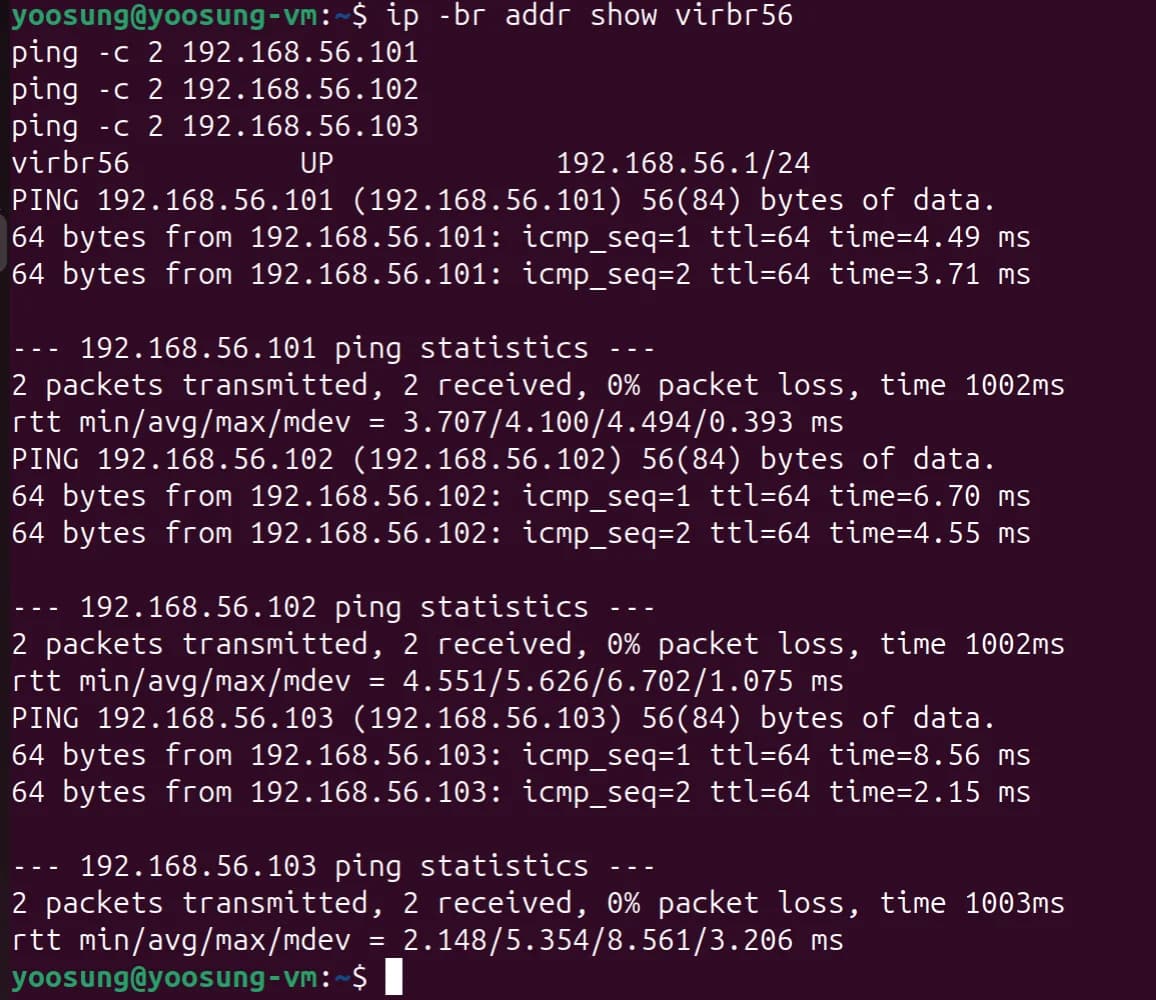
Host → 192.168.56.101–103 ping, all 0% packet loss
(g) Pinging Between VMs by Hostname
On each VM I ran ping -c 2 main / work1 / work2. The aliases were resolved per /etc/hosts to main.cloud.org(192.168.56.101) and so on, and replies came back.
Pinging itself took about 0.1–0.4ms, and other VMs about 3–9ms. Latency between VMs is higher because it goes through nested virtualization.
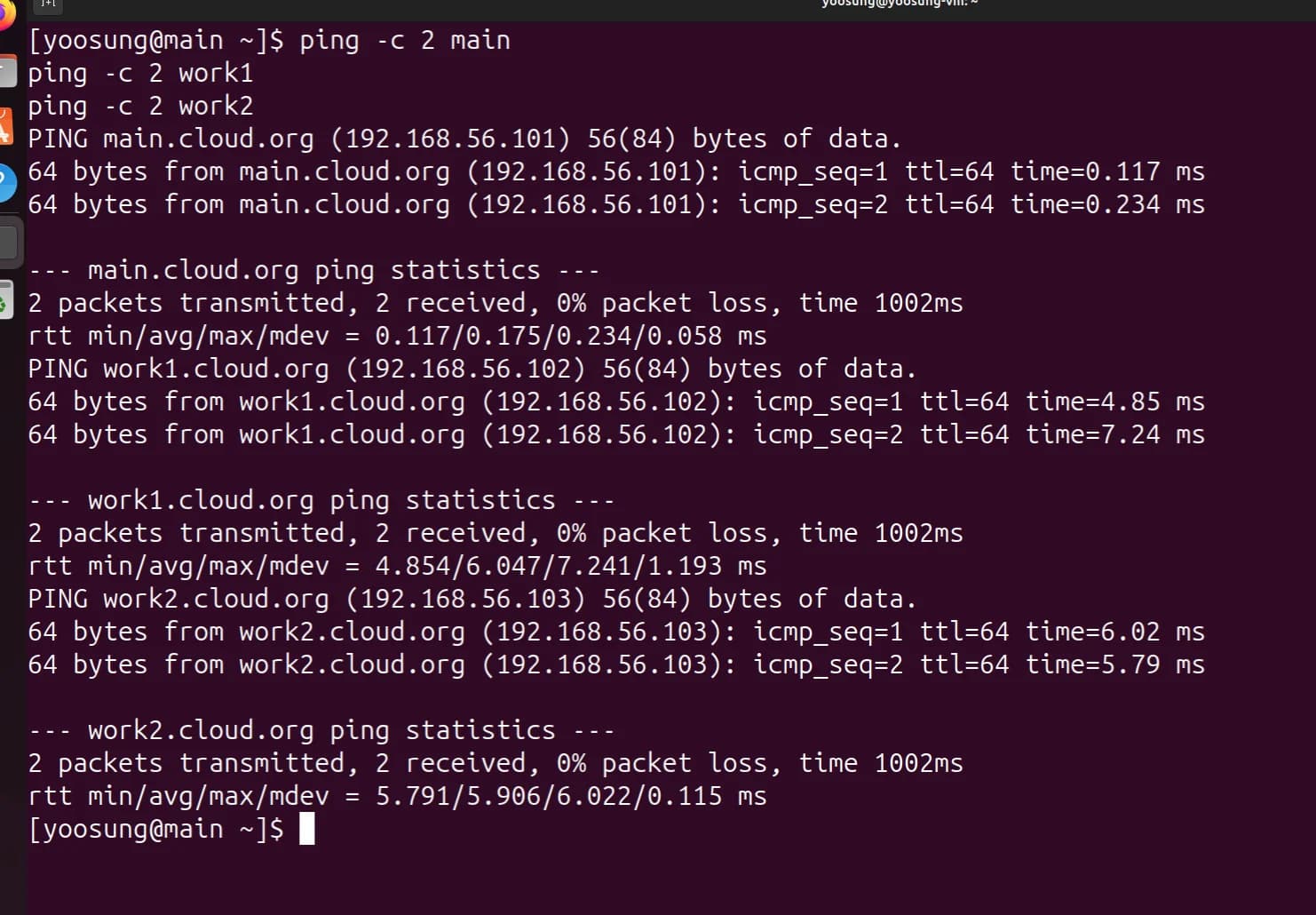
Ping by hostname from main
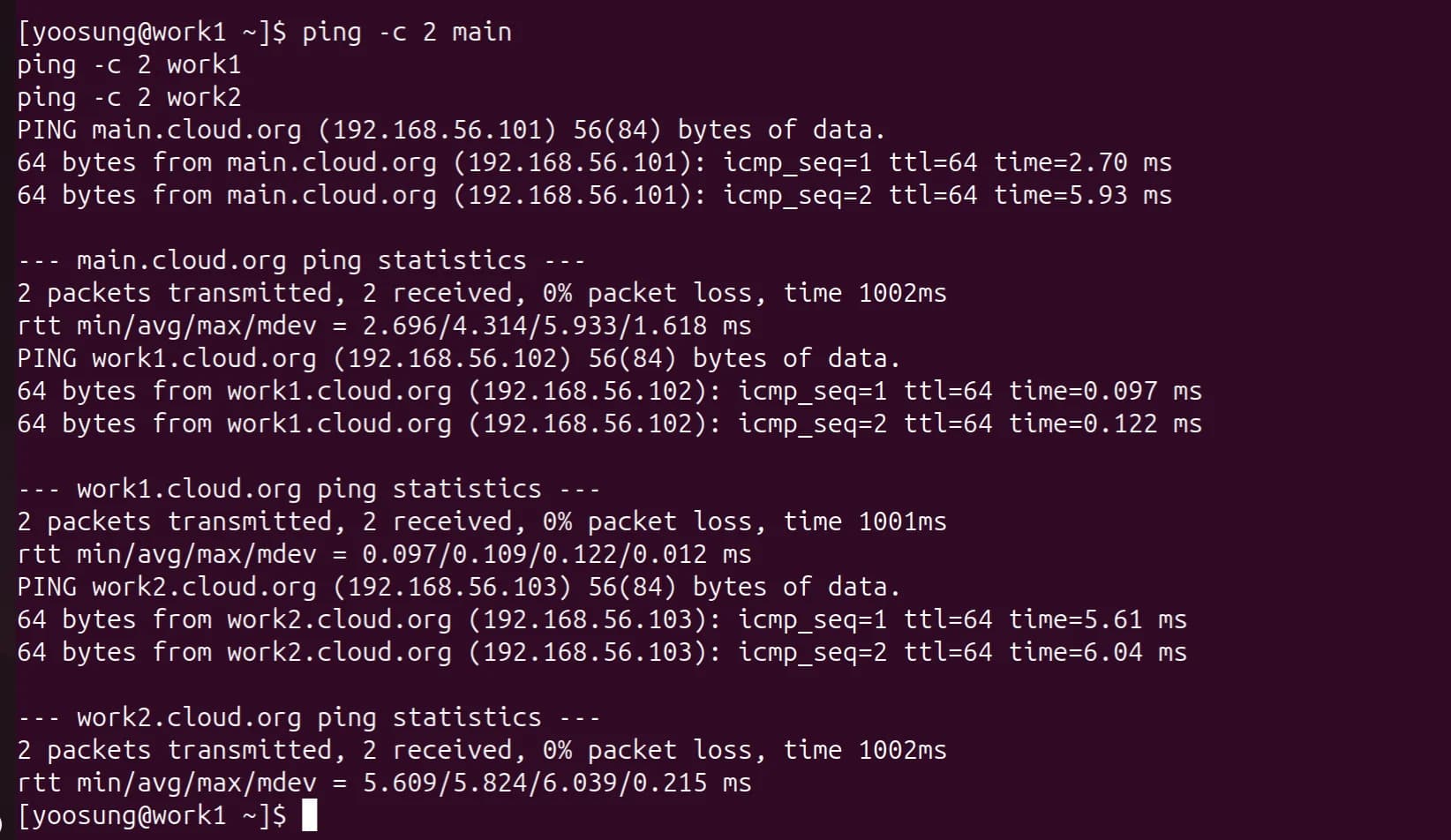
Ping by hostname from work1
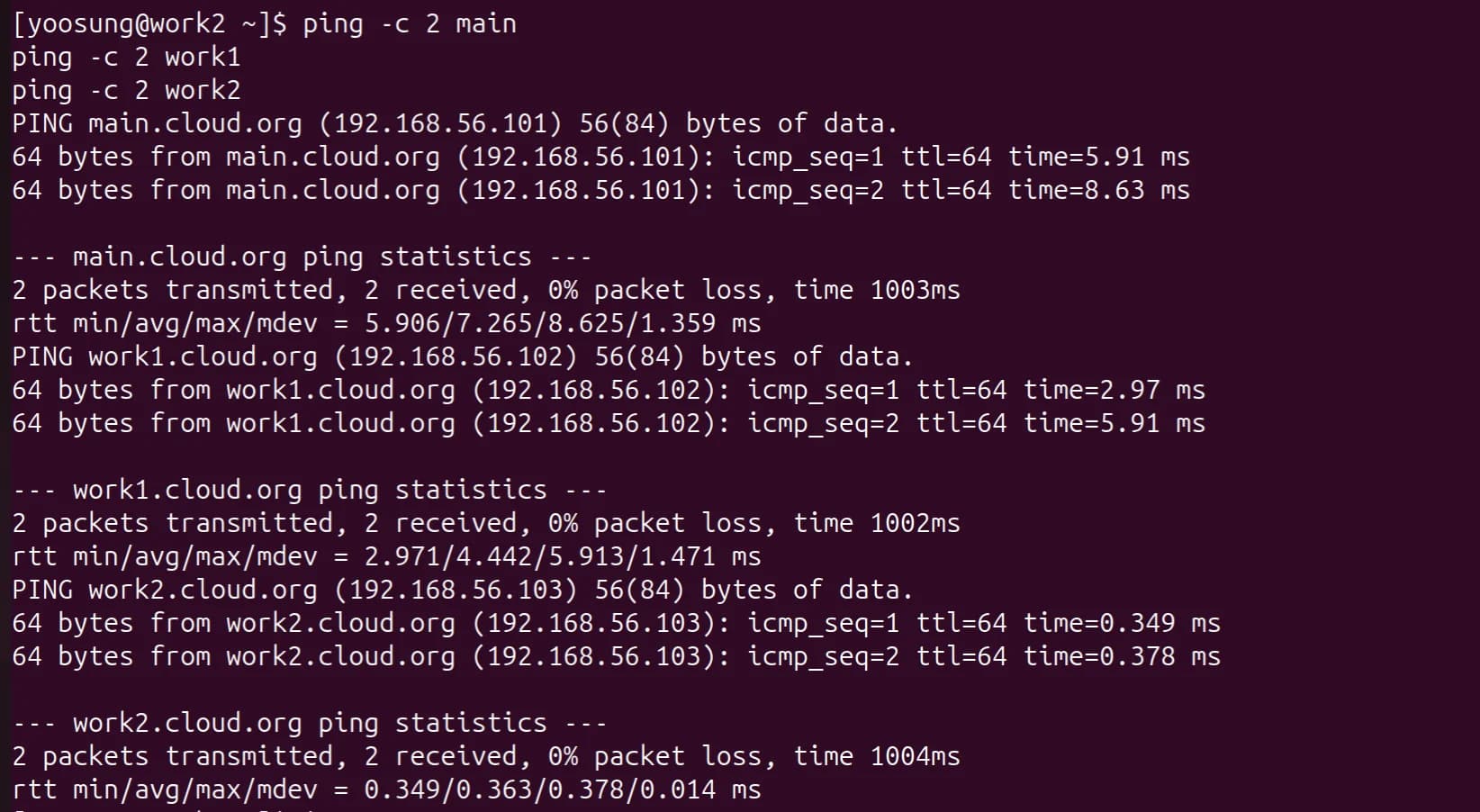
Ping by hostname from work2
(h) Connecting to the Cloned VMs over SSH
From the host I connected to the three VMs over SSH with a password and checked with hostname that each was the right VM. Since it was the first connection, the host key confirmation prompt appeared and I answered yes to add it to known_hosts.
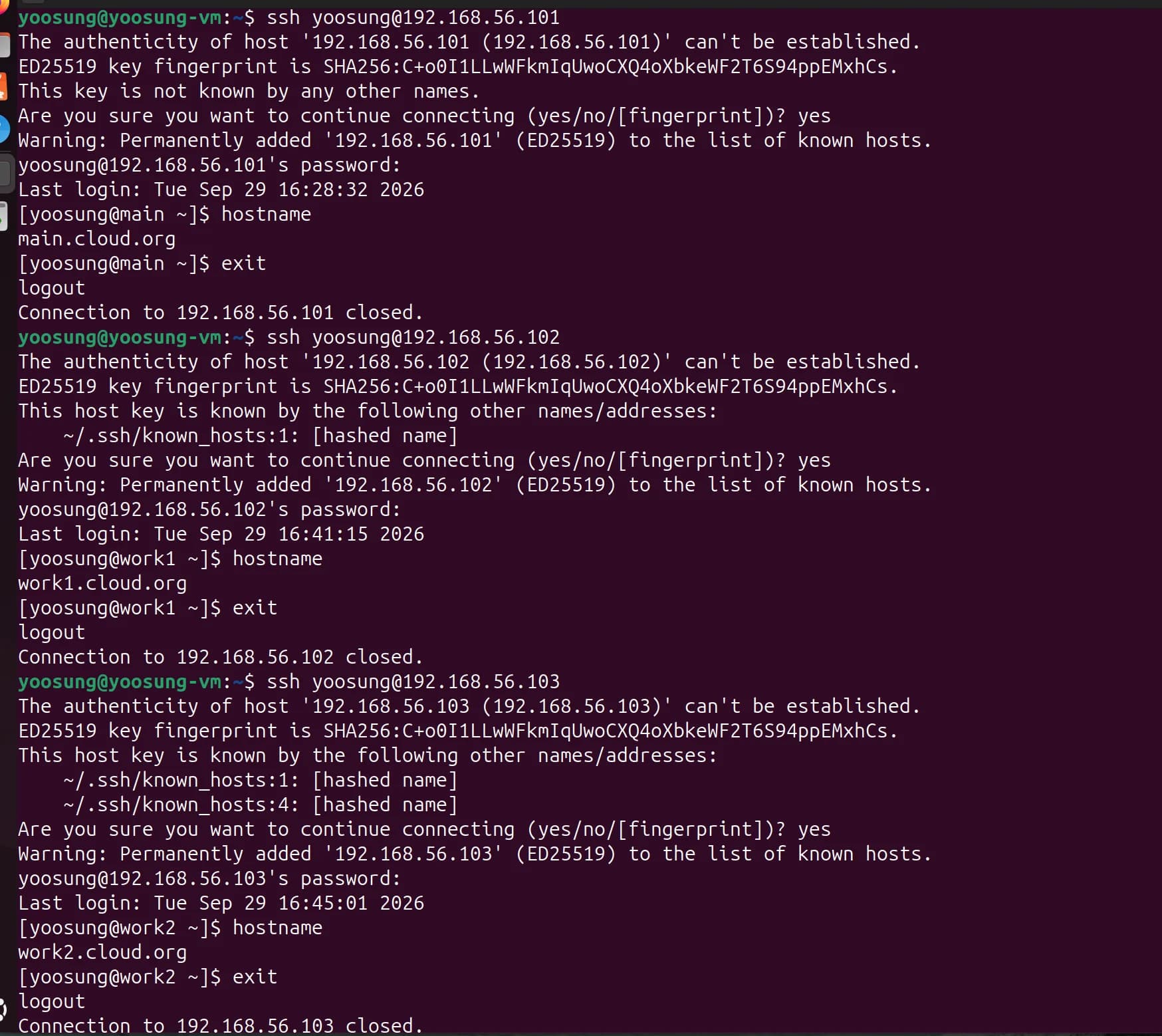
Host → main, work1, work2 SSH login (password authentication)
The three VMs have the same host key. The ED25519 host key fingerprint is
SHA256:C+o0I1…on all of them. virt-clone copies the disk as-is, so the/etc/ssh/ssh_host_*keys get cloned too. That's why from the second connection on you get the message "this key is also known by other names". It's fine for the lab, but in real operation you should regenerate host keys after cloning so the servers can be told apart.
2. SSH Key Authentication (Ch04-Extra)
(a) Connecting from the Host to the Three VMs with a Private Key
I generated an ED25519 key pair on the host and registered the public key in ~/.ssh/authorized_keys on the three VMs with ssh-copy-id. After that, logins are authenticated with the host's private key (~/.ssh/id_ed25519), so no password is asked. The private key never leaves the host; only the public key is copied to the VMs.
ssh-keygen -t ed25519
ssh-copy-id yoosung@192.168.56.101
ssh-copy-id yoosung@192.168.56.102
ssh-copy-id yoosung@192.168.56.103
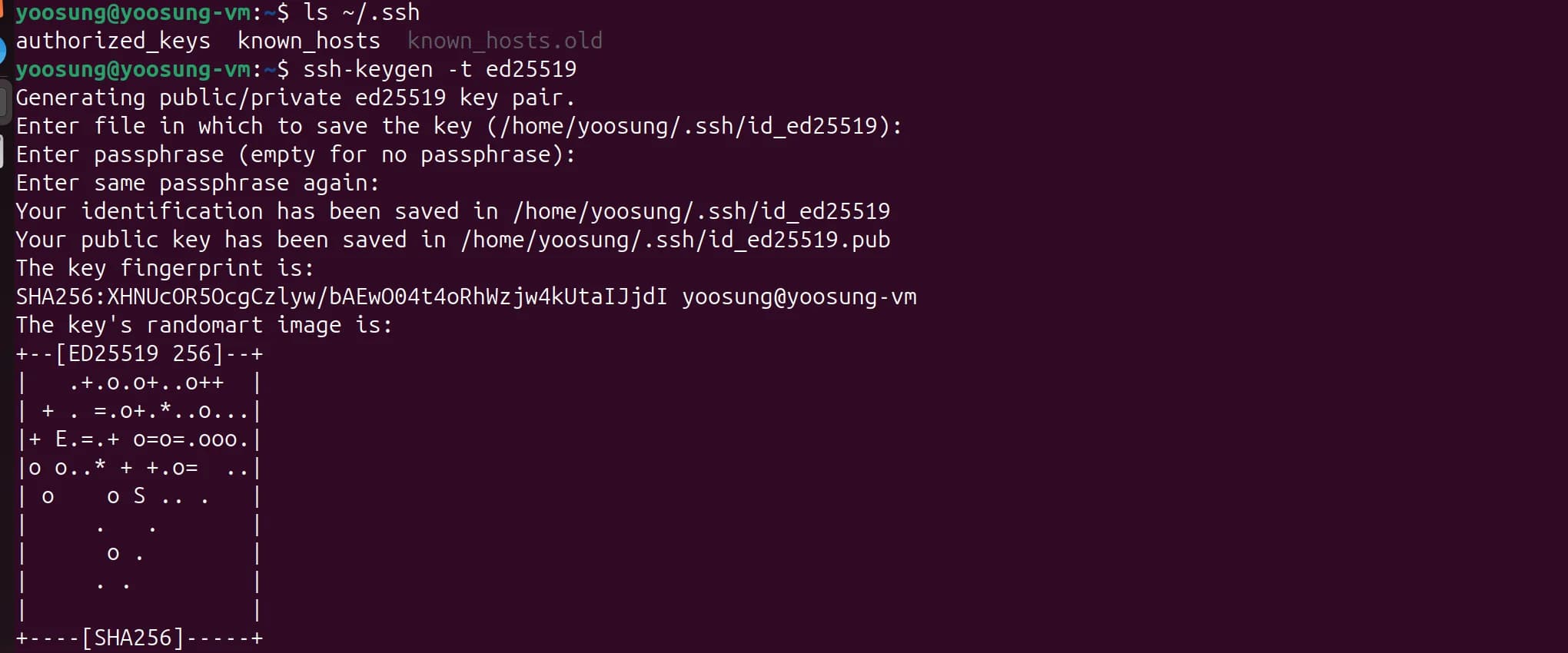
Generating an ed25519 key pair on the host (private key id_ed25519, public key id_ed25519.pub)
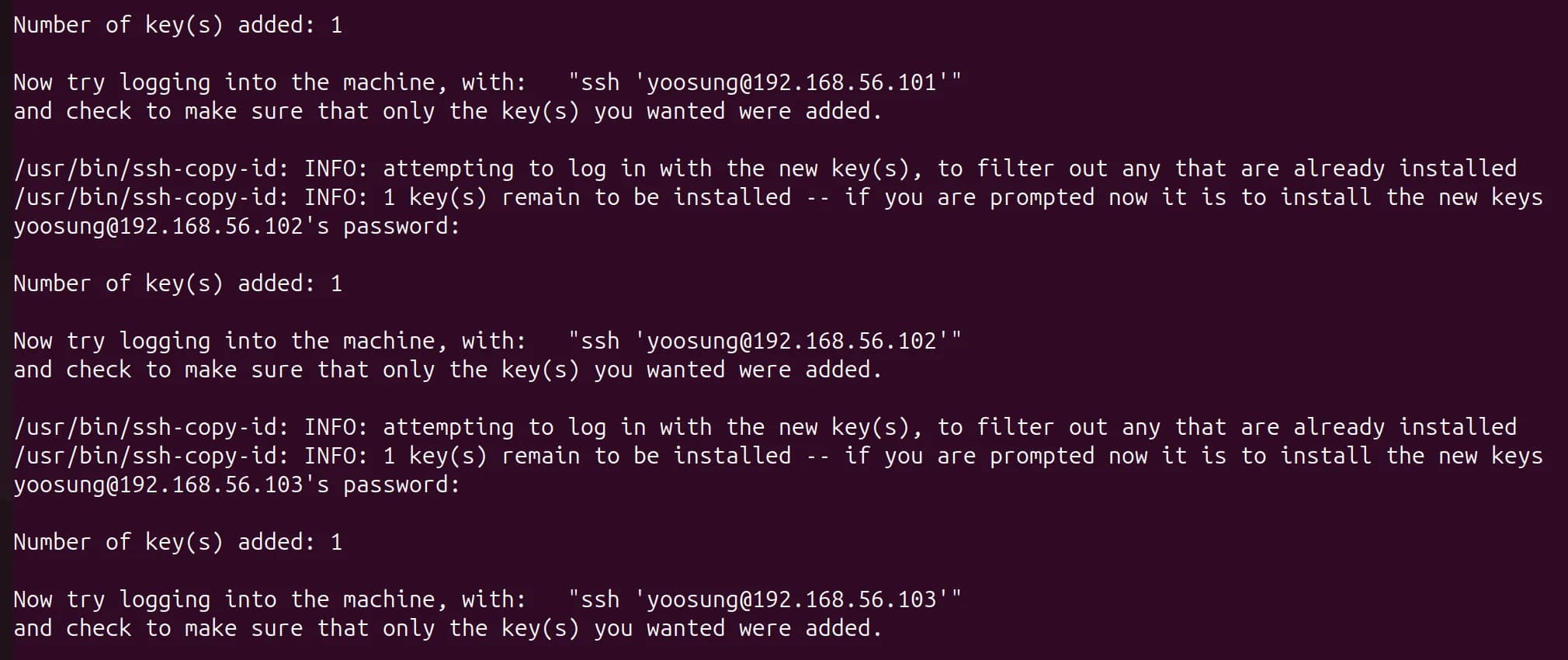
Registering the public key with ssh-copy-id. "Number of key(s) added: 1" for each VM
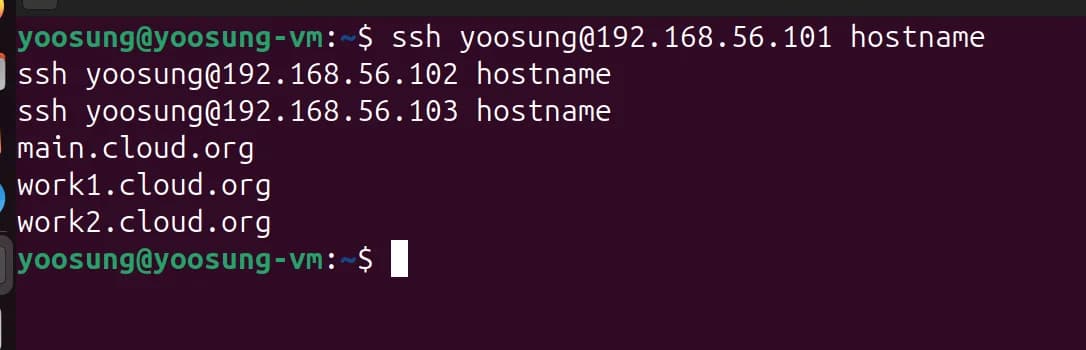
Host → three VMs with key authentication. Each hostname is printed without a password.
(b) Connecting Between VMs with Private Keys
On each of the three VMs I generated its own ED25519 key pair and registered the public key on the other two VMs by hostname. 6 directions in total (3 VMs × 2). Each VM has its own private key, so if one VM's key leaks, the other VMs' keys are unaffected.
ssh-keygen -t ed25519
ssh-copy-id work1
ssh-copy-id work2
That's from main; on work1 I ran it with the targets changed to main and work2, and on work2 to main and work1.
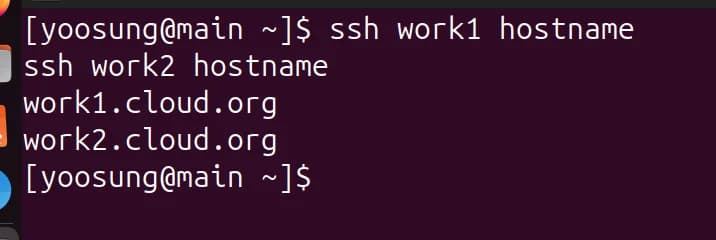
main → work1, work2 (login without a password)
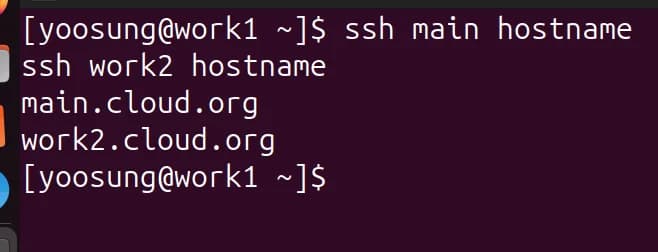
work1 → main, work2
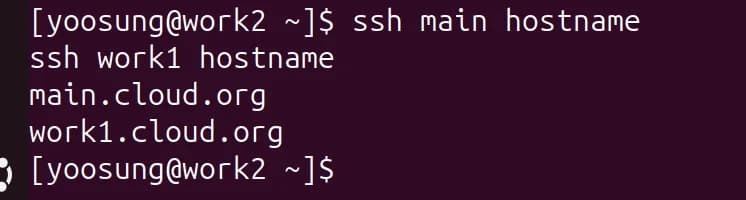
work2 → main, work1
Problems Hit While Cloning
- Serial log path conflict: the cloned VMs inherited the original's serial log path (
/var/log/rocky-base-serial.log) as-is, so starting the second VM failed with "Device or resource busy". I fixed it by dumping the config withvirsh dumpxml, changing the path per VM name, and re-registering it withvirsh define. - Same host key: as mentioned in (h) above, the SSH host key is the same on all three because of disk cloning.
Appendix. Rocky Boot Hang Under Nested Virtualization
What I was stuck on the longest was the Rocky Linux guest hanging 7–8 seconds into kernel boot. To give the conclusion first: under nested virtualization, MSI interrupts were not delivered to the guest, and a single guest kernel argument, pci=nomsi, fixed it. I fixed it without turning off KVM, so the setup didn't have to change either.
Symptoms
When a Rocky Linux 10.2 aarch64 guest was started with KVM, it hung 7–8 seconds into kernel boot and went no further. The domain state was running and cpu.time kept rising. The VM is on and using CPU, but it just doesn't boot. With 2 cores, an RCU stall warning was printed after 60 seconds as well.
[     7.300568] pcieport 0000:00:01.1: PME: Signaling with IRQ 51
[    67.306241] rcu: INFO: rcu_preempt detected stalls on CPUs/tasks:
[    67.346763] rcu:     Possible timer handling issue on cpu=0 timer-softirq=151
[    67.354764] rcu: rcu_preempt kthread starved for 6002 jiffies!
[    67.434740] rcu: Sending NMI from CPU 1 to CPUs 0:
The graphical console only showed Display output is not active, so there was no way to find the cause. Only after switching the serial console output to be saved to a file did I get the log above. I compared how far the boot got by the size of the serial log file. On a normal boot the log keeps growing all the way to the installer screen.
Two Problems Solved First
Before I even saw the boot hang, two other problems came up.
① Secure Boot firmware
If you give virt-install only --boot uefi, libvirt picks AAVMF_CODE.ms.fd, which has Microsoft keys enrolled. This firmware rejects unsigned kernels, giving this error:
error: ../../grub-core/loader/efi/linux.c:723:failed to install protocols.
Failed to boot both default and fallback entries.
I fixed it by specifying firmware with Secure Boot disabled. I also confirmed that secureboot: Secure boot disabled appears in the guest kernel log.
--boot loader=/usr/share/AAVMF/AAVMF_CODE.no-secboot.fd,loader.readonly=yes,loader.type=pflash,loader.secure=no,nvram.template=/usr/share/AAVMF/AAVMF_VARS.fd
② Graphical console doesn't show up
An aarch64 guest shows nothing on the SPICE console, just Display output is not active. On top of that, --cdrom can't pass kernel arguments. I changed the install method like this:
--location <ISO>: extracts vmlinuz and initrd.img from the ISO and boots them directly. Since it skips GRUB, it also avoids the error in ①.--graphics none+--extra-args "console=ttyAMA0,115200 inst.text": runs the installer in serial text mode.--serial pty,log.file=<path>: saves serial output to a file.virsh consoleoften misses early output depending on when you attach, so it looks like a blank screen. Only by saving to a file could I see the boot log from the start.
Only after solving these two could I properly look at the hang at 7–8 seconds.
Root Cause Analysis
I narrowed down the cause by changing one condition at a time over four runs.
| Run | What changed | Serial log size | Result |
|---|---|---|---|
| 1 | vCPU 2 (baseline) | 46,222 B | Hung at 7.30 s |
| 2 | vCPU 1 | — | Hung at 8.22 s |
| 3 | --virt-type qemu (TCG emulation) | 115,139 B | Reached normally |
| 4 | Keep KVM + pci=nomsi | 98,182 B | Reached normally |
Hypothesis 1. Timer problem in the nested environment (wrong)
At first, seeing Possible timer handling issue on cpu=0 in the RCU stall message, I suspected a timer delivery failure. I also found kvm [1]: Hyp nVHE mode initialized successfully in L1 (Ubuntu)'s dmesg. On ARM hardware KVM usually comes up in VHE mode, but here it was nVHE. That means Apple's virtualization provides EL2 for nesting but not the VHE feature, so I thought timers might have problems too.
But runs 1 and 2 hung on different lines, so it was hard to see it as a problem with one specific driver. And both times, right before hanging, it was waking up PCI devices. So I treated the RCU stall as a symptom that followed from failing to receive interrupts, and dropped this hypothesis.
Hypothesis 2. A problem with nested KVM itself (narrowed the scope)
With the same ISO, kernel and firmware, running without KVM under TCG emulation with --virt-type qemu got all the way into the installer normally (run 3). The only thing changed was KVM, so the problem is on the nested virtualization side. But TCG is 10–20× slower, so it's unusable for the lab; I used it only to isolate the cause.
Hypothesis 3. MSI interrupt delivery failure (the actual cause)
Since both runs hung at PCI devices, I suspected the interrupt path. On ARM, PCI devices send interrupts via MSI-X and the interrupt controller (GIC) receives them. I confirmed this in L1's dmesg.
GICv2m: range[mem 0x1fff0000-0x1fff0fff], SPI[128:255]
kvm [1]: GICv3: no GICV resource entry
kvm [1]: disabling GICv2 emulation
L1 had no ITS to handle MSI and was using the older GICv2m. In this setup MSI doesn't reach the guest, so it appears the guest couldn't receive the interrupts sent by virtio-pci devices and hung right there.
Fix
I added a single pci=nomsi to the guest kernel arguments. With this, the guest receives interrupts via legacy INTx instead of MSI and doesn't use the problematic path at all.
--extra-args "console=ttyAMA0,115200 inst.text pci=nomsi"
| Condition | Serial log | Result |
|---|---|---|
| KVM, no argument | 46,222 B | Hung at 7–8 s |
KVM, pci=nomsi | 98,182 B | Reached installer normally |
Why I chose this approach
- No need to turn off KVM. It doesn't slow down like TCG.
- The setup doesn't change. The only addition is one line of guest kernel arguments.
- The downside is slightly slower I/O. INTx is less efficient than MSI, but it was no problem for a 3-VM lab.
Settings Needed to Reproduce
| Item | Value | Reason |
|---|---|---|
| Firmware | AAVMF_CODE.no-secboot.fd | Secure Boot firmware rejects unsigned kernels |
| Boot method | --location <ISO> | Direct boot to pass kernel arguments |
| Console | --graphics none + --serial pty,log.file= | No graphical console on aarch64; preserves early logs |
| Kernel argument | pci=nomsi | Works around MSI not being delivered in the nested environment |
| Packages | Include qemu-efi-aarch64 | aarch64 has no BIOS, so UEFI firmware is needed |